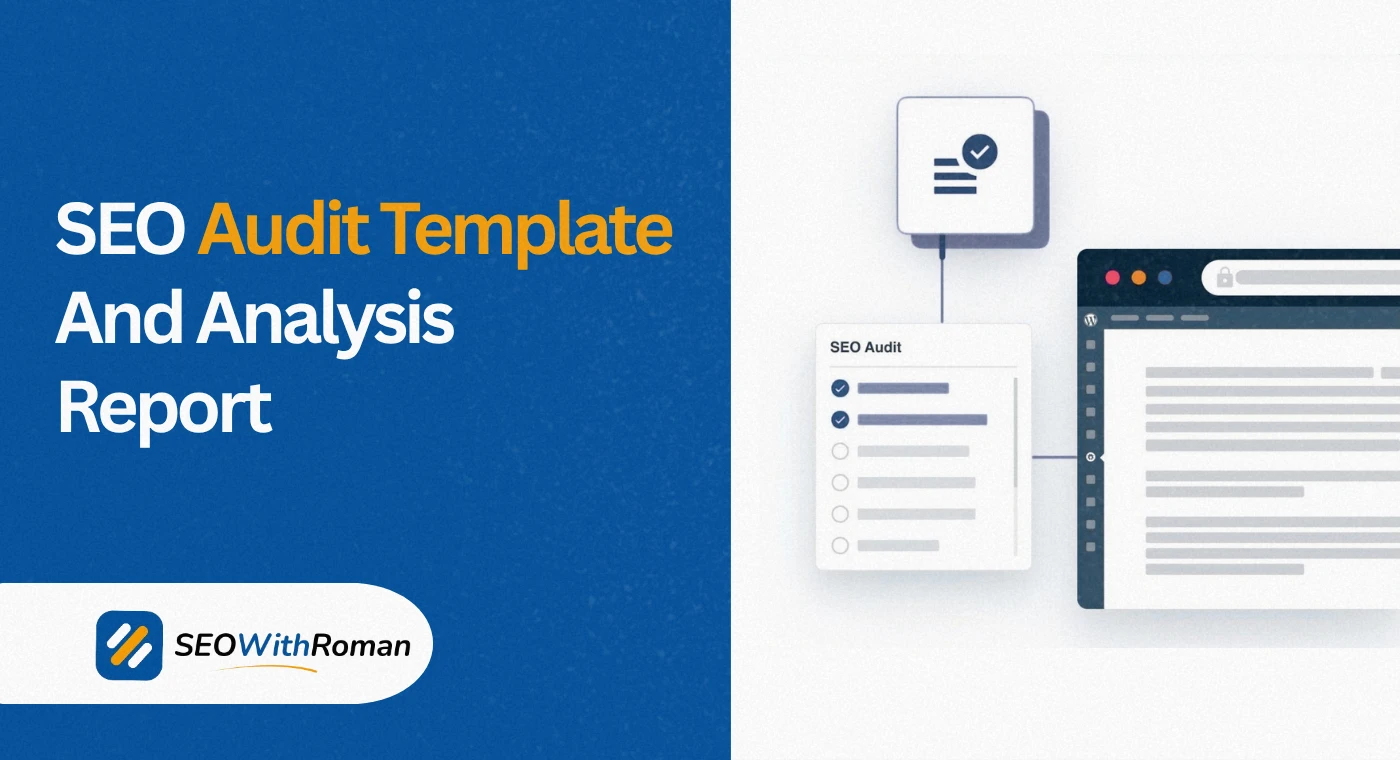
- An SEO audit template is a structured checklist that helps you find every technical, on-page, and off-page issue preventing your website from ranking
- A proper website SEO audit covers five areas: crawlability, indexability, on-page SEO, off-page SEO, and content quality
- Google Search Console, Screaming Frog free version, and Ahrefs Webmaster Tools are the only tools you need for a free comprehensive SEO audit
- Most websites have 5 to 10 critical SEO issues that are directly suppressing rankings and can be fixed without any technical background
- Running an SEO audit once every three months is the minimum recommended frequency for any website serious about organic traffic growth
1 What Is an SEO Audit Template and Why Every Website Needs One
Most website owners only start thinking about an SEO audit when their traffic drops. By that point, the problems have usually been building silently for months.
An SEO audit template is a structured, repeatable checklist that walks you through every area of your website that affects Google rankings. It tells you exactly what to check, in what order, and what to do when you find a problem. Without a template, an SEO audit becomes a random collection of checks with no clear priority and no guarantee you have covered everything that matters.
In many years of doing technical and on-page SEO audits for clients across B2b, healthcare, ecommerce, and local service industries, I have seen the same pattern repeatedly. Websites with no audit history have between 5 and 15 fixable issues that are directly suppressing their rankings. Fix them systematically using a proper template and organic traffic almost always improves within 60 to 90 days.
The SEO audit template in this guide covers five complete areas: technical SEO, crawlability and indexability, on-page SEO, content quality, and off-page SEO. Work through each section in order and you will have a complete picture of exactly what is holding your website back and what to fix first.
2 The 5 Areas Every Complete SEO Audit Template Must Cover
Before diving into individual checks, you need to understand the five pillars of a complete SEO audit. Competitors who only audit one or two of these areas consistently miss issues that are undermining everything else they fix.
Pillar 1: Technical SEO
Technical SEO covers everything that affects Google's ability to access, crawl, and render your website. This includes site speed, Core Web Vitals, mobile usability, HTTPS status, robots.txt configuration, XML sitemaps, and URL structure. Technical issues at this level can block Google from seeing any of your content regardless of how well it is written.
Pillar 2: Crawlability and Indexability
Crawlability determines whether Google can reach your pages. Indexability determines whether Google stores them in its index. A page can be crawlable but not indexable, and a page can be indexable but still not rank because of the issues in the other three pillars.
Pillar 3: On-Page SEO
On-page SEO covers the elements on each individual page that signal relevance to Google. This includes title tags, meta descriptions, heading structure, keyword usage, image alt text, internal linking, and URL slugs.
Pillar 4: Content Quality
Content auditing identifies thin content, duplicate content, outdated articles, and pages that do not match the search intent of their target keyword. This is often the most impactful pillar for websites that have been publishing content for more than six months.
Pillar 5: Off-Page SEO
Off-page auditing examines your backlink profile, identifying toxic links that may be sending negative signals to Google, lost backlinks that once boosted your rankings, and competitor link gap opportunities where rivals have links that you do not.
3 Technical SEO Audit Checklist | The Foundation Every Audit Starts With
Technical SEO issues sit at the base of every ranking problem. Before auditing anything else, confirm these technical fundamentals are clean.
| Technical Check | What to Look For | Tool to Use | Priority |
|---|---|---|---|
| HTTPS status | All pages serve over HTTPS, no mixed content warnings | Browser padlock icon, Google Search Console | Critical |
| Robots.txt file | No important pages accidentally blocked from Googlebot | yoursite.com/robots.txt | Critical |
| XML sitemap | Sitemap exists, submitted to GSC, contains only indexable pages | yoursite.com/sitemap.xml, GSC Sitemaps report | Critical |
| Crawl errors | No 4XX or 5XX errors on important pages | Google Search Console Coverage report | Critical |
| Page speed | Core Web Vitals pass on both mobile and desktop | Google PageSpeed Insights, GSC Core Web Vitals report | High |
| Mobile usability | No mobile usability errors reported | Google Search Console Mobile Usability report | High |
| URL structure | Clean, keyword-relevant, no dynamic parameters on key pages | Manual review, Screaming Frog | High |
| Canonical tags | Every page has a self-referencing canonical or points to the correct version | Screaming Frog, browser inspector | High |
| Redirect chains | No chains longer than one hop, no redirect loops | Screaming Frog, Ahrefs | Medium |
| Broken internal links | No internal links returning 404 errors | Screaming Frog free, Ahrefs Webmaster Tools | High |
| Duplicate content | No pages with substantially identical content | Siteliner free, Screaming Frog | High |
| Structured data | Schema markup valid and appropriate for page type | Google Rich Results Test | Medium |
How to check robots.txt correctly: Visit yourdomain.com/robots.txt in your browser. Check that Googlebot is not blocked from crawling your main content, your CSS files, or your JavaScript files. A robots.txt file that accidentally blocks Googlebot from your entire website with "Disallow: /" is a critical issue I have found on real client websites that had been live for months with zero indexing.
How to check your XML sitemap: Visit yourdomain.com/sitemap.xml or yourdomain.com/sitemap_index.xml. Confirm it loads without errors. Then go to Google Search Console, click Sitemaps, and verify the submitted sitemap shows no errors and the number of discovered URLs matches your expected page count.
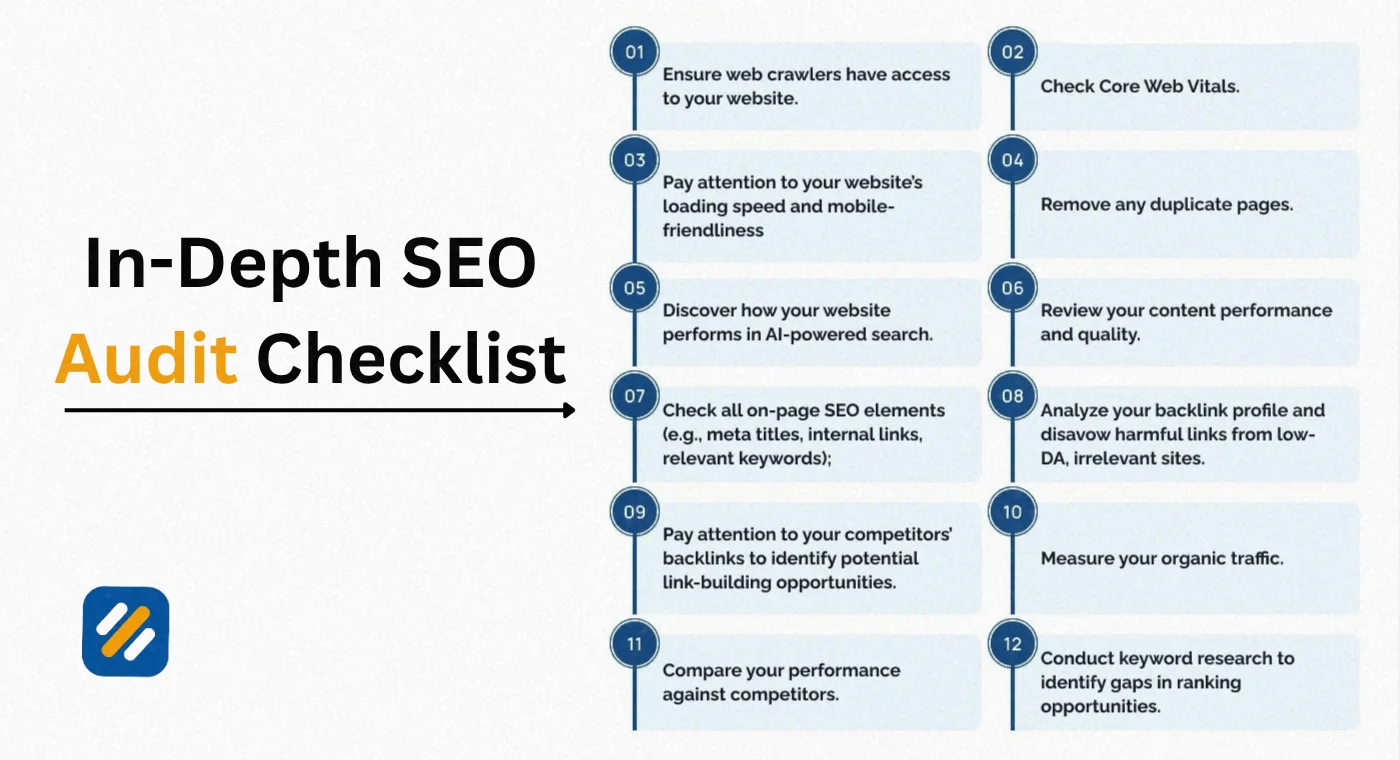
4 Crawlability and Indexability Audit | Making Sure Google Can Find Every Page
Crawlability and indexability are two separate checks that most beginners treat as the same thing. Here is the exact difference and what to look for in each.
Crawlability checks:
Crawlability means Google can physically access your page. A page fails crawlability when it is blocked by robots.txt, sits behind a login wall, requires JavaScript to render and Google cannot execute that JavaScript, or lives on a URL that has never been discovered through internal links or sitemaps.
Check your crawlability by running a free Screaming Frog crawl of your website. Any page returning a robots.txt blocked status in Screaming Frog is uncrawlable. Any page not appearing in the crawl results at all is likely orphaned, meaning no other page on your site links to it.
Indexability checks:
A page is indexable when Google can crawl it and has been given permission to store it in its index. A page fails indexability when it has a noindex meta tag, when it has a noindex HTTP header, when it is blocked by canonical tags pointing to a different URL, or when Google has manually removed it.
Check indexability in Google Search Console under Indexing then Pages. Look specifically for pages appearing under "Excluded" with reasons like "Excluded by noindex tag" or "Duplicate without user-selected canonical." These are pages Google has visited but actively decided not to index.
The indexability issue most beginners create by accident:
WordPress websites frequently publish tag pages, author pages, and date archive pages that Google indexes as thin content. These pages consume crawl budget and create duplicate content signals without generating any traffic. The fix is to add a noindex tag to these page types through Rank Math under Titles and Meta then Tags, and make sure the noindex toggle is enabled.
5 On-Page SEO Audit Checklist | Every Element to Check on Every Page
The on-page SEO audit is where most of the quick ranking wins live. These are elements entirely within your control that can be fixed today.
Meta Titles Audit
Check every page on your website has a unique, keyword-focused title tag under 60 characters. Pull a complete list of your title tags using Screaming Frog. Filter for:
- Missing title tags: Pages with no title tag at all
- Duplicate title tags: Multiple pages sharing identical titles
- Over-length title tags: Titles over 60 characters being truncated by Google
- Under-length title tags: Titles under 30 characters not describing the page adequately
- Title tags missing the primary keyword
Meta Descriptions Audit
Meta descriptions do not directly affect rankings but they significantly affect click through rate, which is a user behaviour signal Google monitors. Check for:
- Missing meta descriptions: Google writes them automatically when missing, often poorly
- Duplicate meta descriptions across multiple pages
- Descriptions over 160 characters being cut off in search results
- Descriptions that do not include the primary keyword or a clear value proposition
Heading Structure Audit
Every page should have exactly one H1 heading that contains the primary keyword. Subheadings should follow a logical H2 then H3 hierarchy without skipping levels. Use Screaming Frog to extract all H1 tags and check for:
- Pages with no H1 tag
- Pages with multiple H1 tags
- H1 tags that do not match the page's target keyword
Internal Linking Audit
Internal links distribute authority across your website and help Google understand your topical structure. Check for:
- Pages with no internal links pointing to them (orphaned pages)
- Pages using generic anchor text like "click here" instead of descriptive keyword-rich text
- Internal links pointing to 404 pages or redirect chains
- Key pages that deserve more internal links but are currently underlinked
Image Alt Text Audit
Every image on your website should have a descriptive alt text attribute. Use Screaming Frog to pull a list of all images and filter for missing alt text. This is particularly important for ecommerce product images and featured images on blog posts.
6 Content Quality Audit | Finding What to Fix, Update, or Remove
Content auditing is the most undervalued part of an SEO audit for established websites. After twelve months of publishing, most websites have a mix of content that is performing well, content that is close to ranking but needs improvement, and content that is actively harming the site's topical authority.
How to categorise your content during an SEO audit:
Pull all your indexed pages from Google Search Console by going to Performance then Pages. Export the data and categorise each page into one of four groups:
Group 1: Keep and Maintain
Pages with stable impressions, good click through rates, and rankings in positions 1 to 10. These pages are working. Review them every six months to ensure information is current.
Group 2: Improve and Optimise
Pages ranking in positions 5 to 20 with impressions but low click through rates or low traffic. These pages are indexed and receiving some visibility but are not converting that visibility into clicks. These are your highest priority content improvement opportunities. Add more depth, improve the title tag, add FAQ sections, and strengthen internal links pointing to these pages.
Group 3: Consolidate or Redirect
Pages with very low impressions, minimal traffic, and no clear keyword target. If two similar pages exist covering the same topic, consolidate them into one stronger page and redirect the weaker one to it.
Group 4: Delete and Redirect
Pages with zero impressions over six months, thin content under 300 words with no strategic value, and no backlinks. Deleting these pages and redirecting them to relevant alternatives removes low-quality signals from your domain and allows Google's crawl budget to focus on pages that matter.
Thin content identification:
Thin content is any page that does not adequately cover its topic. In 2026, Google's quality threshold has risen significantly. A 300-word page targeting a competitive keyword is almost certainly thin content. Use Screaming Frog's word count report to identify all pages under 500 words and evaluate whether each one deserves to be expanded or removed.
Duplicate content identification:
Duplicate content occurs when two or more pages have substantially identical or very similar text. It confuses Google about which version to rank and dilutes the authority of both pages. Use Siteliner at siteliner.com to scan your website for internal duplicate content. Any page showing over 50% duplicate match with another page on your site needs a canonical tag or content differentiation.
7 Off-Page SEO Audit | Analysing Your Backlink Profile
Your backlink profile is your website's reputation in Google's eyes. An off-page SEO audit tells you how strong that reputation is, where it is being undermined, and where your biggest growth opportunities are hiding.
Backlink profile health check:
Use Ahrefs free Webmaster Tools to access your complete backlink profile. When reviewing your backlinks, look for:
Referring domain diversity: Having 100 backlinks from 100 different websites is far stronger than having 100 backlinks from the same website. Check your ratio of unique referring domains to total backlinks. A healthy profile has a high proportion of unique domains.
Anchor text distribution: Your backlink anchor text should be diverse and natural. If more than 20% of your backlinks use the exact same keyword-rich anchor text, this is an over-optimisation signal that can trigger a Google penalty. Natural anchor text profiles include brand names, URLs, generic phrases like "here" and "this page," and partial match keywords.
Toxic link identification: Links from spam websites, link farms, private blog networks, and irrelevant foreign language directories can send negative signals to Google. In Ahrefs Webmaster Tools, look at your referring domains and flag any that appear to be low-quality. For severe cases, you may need to submit a Google Disavow file.
Lost backlinks: The Lost Backlinks report in Ahrefs shows links that previously pointed to your website but no longer do. These are worth investigating. If a link was lost because the referring page was deleted, there is nothing to do. If it was lost because the link was removed or changed, reaching out to the website owner may recover it.
Competitor backlink gap analysis:
The most actionable insight from an off-page audit comes from comparing your backlink profile to competitors. In Ahrefs, use the Link Intersect tool to find websites that link to two or three of your competitors but not to you. These are pre-qualified link prospects already proven to link to websites in your niche.
8 SEO Audit Report Template | How to Document and Present Your Findings
Once you have completed all five pillars of your SEO audit, you need to document your findings in a format that makes prioritisation and action clear. Here is the exact structure I use for SEO audit reports for clients:
Section 1: Executive Summary
A one-page overview of the most critical findings. Three to five bullet points summarising the biggest issues found and the estimated traffic impact of fixing them. This section is written for decision makers who need the headline picture without the technical detail.
Section 2: Technical SEO Findings
A table listing every technical issue found, its severity (critical, high, medium, low), the affected URLs, the recommended fix, and the estimated effort to implement.
Section 3: On-Page SEO Findings
A breakdown of on-page issues by category: title tags, meta descriptions, heading structure, internal linking, image alt text, and URL issues. Each category shows the number of affected pages and the specific fix required.
Section 4: Content Audit Results
A table of all audited pages categorised into Keep, Improve, Consolidate, or Delete. Includes current performance data from Google Search Console and specific recommendations for each page in the Improve category.
Section 5: Off-Page SEO Findings
A summary of backlink profile health, toxic link count, lost backlink opportunities, and competitor link gap analysis with prioritised outreach targets.
Section 6: Priority Action Plan
A ranked list of all recommended actions ordered by impact versus effort. Quick wins (high impact, low effort) appear first. Long-term projects (high impact, high effort) appear last.
| Priority Level | Action | Impact | Effort | Timeline |
|---|---|---|---|---|
| Critical | Fix crawl errors and indexing blocks | Very high | Low | Week 1 |
| Critical | Resolve duplicate content issues | High | Medium | Week 1 to 2 |
| High | Rewrite missing and duplicate title tags | High | Low | Week 2 |
| High | Add meta descriptions to all pages | Medium | Low | Week 2 |
| High | Fix broken internal links | Medium | Low | Week 2 |
| Medium | Expand thin content pages | High | High | Month 1 to 2 |
| Medium | Build internal links to underlinked pages | High | Medium | Ongoing |
| Medium | Consolidate or delete low-value content | High | Medium | Month 2 |
| Low | Disavow toxic backlinks | Medium | Low | Month 2 |
| Low | Begin competitor link gap outreach | High | High | Month 3 onwards |
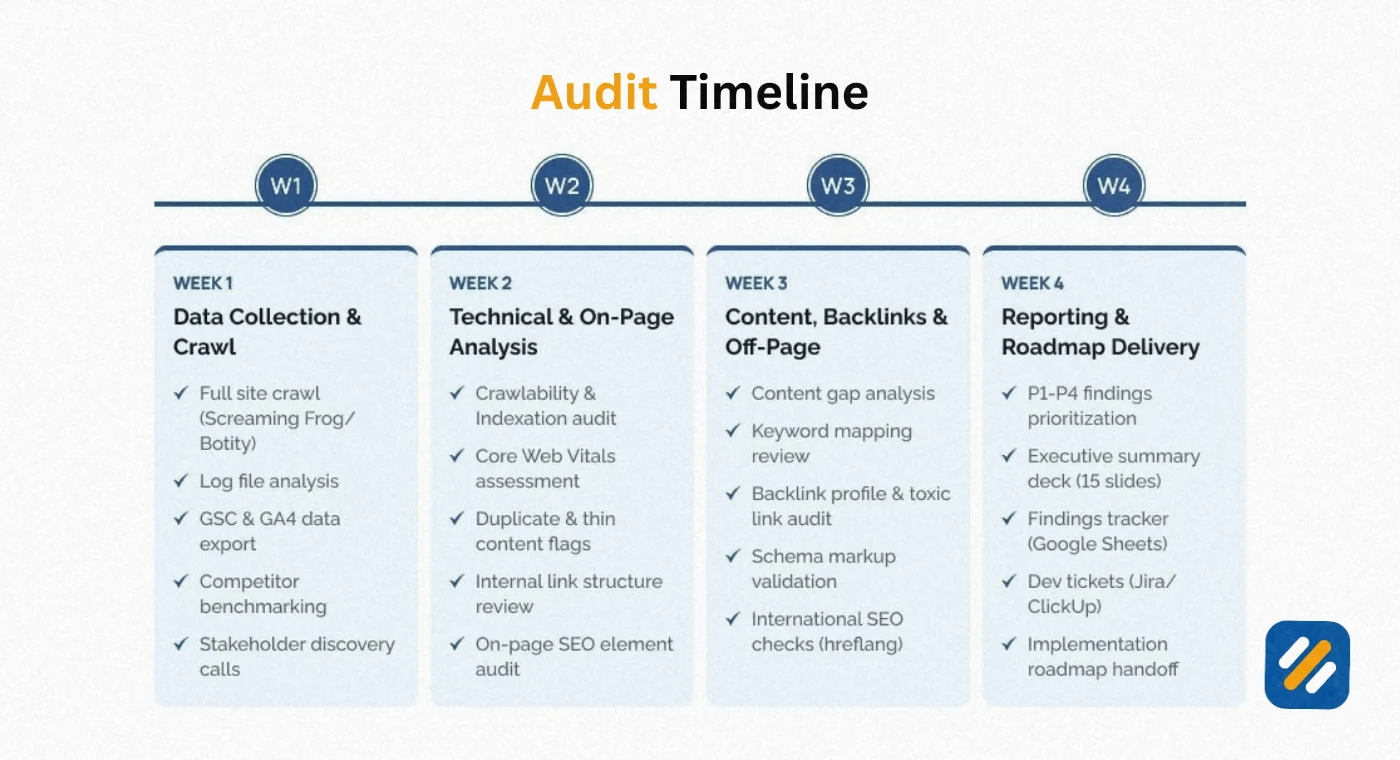
9 SEO Audit Tools | The Free and Paid Options That Cover Everything
You do not need an expensive tool subscription to run a comprehensive SEO audit. Here are the tools that cover every area of this template:
| Tool | Cost | What It Audits | Best For |
|---|---|---|---|
| Google Search Console | Free | Indexing, crawl errors, Core Web Vitals, keyword rankings, internal links | Starting point for every audit |
| Screaming Frog SEO Spider | Free up to 500 URLs | Title tags, meta descriptions, headings, broken links, redirects, canonicals | Complete on-page and technical crawl |
| Ahrefs Webmaster Tools | Free | Backlinks, referring domains, lost links, broken links, technical issues | Off-page audit and link analysis |
| Google PageSpeed Insights | Free | Core Web Vitals, page speed, mobile usability | Performance audit |
| Siteliner | Free up to 250 pages | Duplicate content, broken links, page authority | Content duplication check |
| Google Rich Results Test | Free | Structured data validity, schema errors | Schema markup audit |
| Semrush free version | Free (10 searches/day) | Keyword rankings, competitor analysis, site audit | Keyword and competitor audit |
| Rank Math SEO | Free WordPress plugin | On-page score, schema, sitemap, redirects | WordPress-specific on-page audit |
For small business websites and personal blogs, the free tools above cover everything in this template. Paid tools like Semrush Pro, Ahrefs Standard, or Sitebulb add automation, historical data, and scale for agencies and larger websites.
10 How Often Should You Run an SEO Audit
This is a question I get asked at almost every client meeting. The honest answer depends on the size and activity level of your website.
| Website Type | Recommended Audit Frequency | Focus Areas |
|---|---|---|
| New website under 20 pages | Monthly for first 6 months | Crawlability, indexing, basic on-page |
| Growing blog, 20 to 100 pages | Every 3 months | Content quality, on-page, internal linking |
| Established site, 100 to 500 pages | Every 2 months | Full audit across all five pillars |
| Large site, 500 plus pages | Monthly technical, quarterly full | Automated crawl monitoring plus manual audit |
| Post site migration | Immediately after and then monthly | Redirects, indexing, canonical tags |
| After algorithm update | Within 2 weeks of confirmed update | Rankings, organic traffic, content quality |
For most small business websites and personal brand blogs, a quarterly full audit with monthly Google Search Console monitoring is the right balance between thoroughness and time investment.
11 3 Expert Tips to Get More From Your SEO Audit Template
Expert Tip 1: Always Start With Google Search Console Before Any Other Tool
Before opening Screaming Frog or Ahrefs, spend 20 minutes inside Google Search Console. The Coverage report shows you which pages Google has indexed and which it has excluded and why. The Performance report shows you which keywords are generating impressions without clicks, which are your highest priority title tag and meta description optimisation targets. GSC gives you Google's actual view of your website. Every other tool gives you a simulation. Start with the source.
Expert Tip 2: Fix Indexing Issues Before Fixing On-Page Issues
The most common mistake I see when website owners run their first SEO audit is spending hours improving title tags and meta descriptions on pages that Google has not even indexed. On-page optimisation on an unindexed page has zero ranking impact. Always confirm every page you plan to optimise is fully indexed in Google Search Console before spending time on its on-page elements. Fix indexing first. Optimise second.
Expert Tip 3: Track Your Audit Findings in a Spreadsheet With Before and After Data
An SEO audit without documentation is just a list of observations. Create a Google Sheet with columns for every check in this template. Record the current state before you make any changes. Then record the state again 60 days after implementing fixes. This before and after tracking is what shows you which fixes moved rankings and by how much, turning your audit from a one-time task into a continuous improvement system.
12 Conclusion
An SEO audit template is not a one-time fix. It is a repeatable system for keeping your website in the best possible condition to rank on Google consistently.
The five-pillar framework in this guide covers everything that matters: technical health, crawlability and indexability, on-page optimisation, content quality, and backlink profile strength. Work through each section in order, document every finding, prioritise by impact versus effort, and implement fixes systematically.
Most websites that follow this process see measurable improvements in organic traffic within 60 to 90 days of completing their first audit. Not because SEO is fast. But because most websites have fixable issues that have been blocking rankings for months without anyone knowing they existed.
Run your first audit this week. Start with Google Search Console. Fix the critical issues first. Then work through the rest in priority order.
If you have questions about a specific issue you found during your audit, drop a comment below and I will help you work out the right fix.
Join 1,000+ business owners and bloggers who get one actionable SEO tip every week — straight to their inbox. Free forever.
Get Free Weekly Tips →