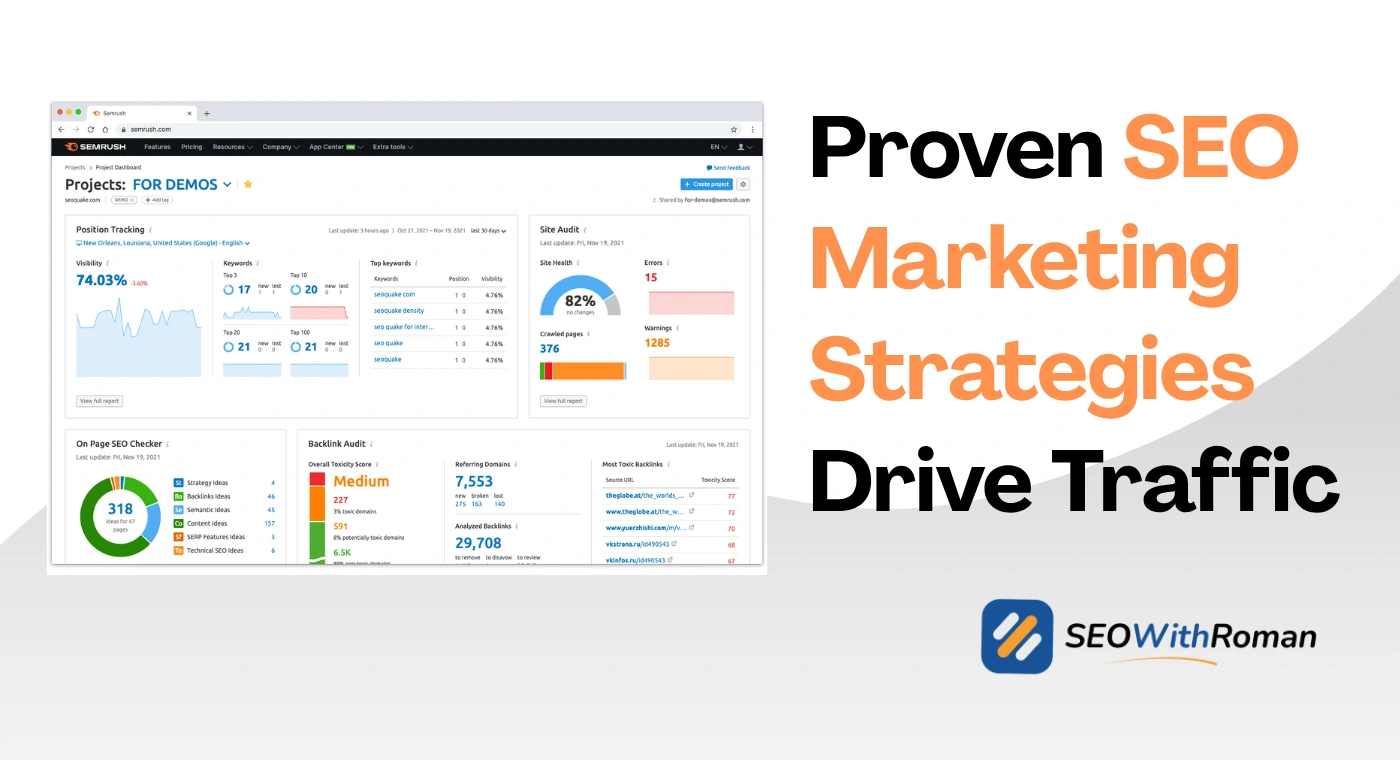
- A sample SEO report shows organic traffic, keyword rankings, backlinks, technical health, and SEO recommendations in one structured document
- The best SEO reports are built for the reader, not the specialist. Non-technical clients need context, not just data
- Monthly SEO reporting is the most effective cadence for most businesses and agencies
- Google Search Console, Google Analytics 4, Ahrefs, and Semrush are the four tools that provide all the data you need
- Every SEO report must end with clear, prioritised recommendations otherwise it is just a data dump
1 What Is a Sample SEO Report and Why Every Business Needs One
Most business owners hiring an SEO specialist or agency have no idea what they are actually getting in return for their money. They know they want more Google traffic. They know they want better rankings. But they have no visibility into whether those things are actually happening.
That is exactly what a sample SEO report solves
An SEO report is a structured document that shows how a website is performing in organic search over a specific time period. It brings together data from multiple sources including Google Search Console, Google Analytics, and SEO tools, and presents it in a way that both technical specialists and non-technical clients can understand and act on.
In many years of delivering SEO campaigns for US and UK clients across CXM, healthcare, ecommerce, and B2B industries, the quality of the SEO report has consistently determined the quality of the client relationship. Clients who receive clear, well-structured monthly reports stay longer, trust the process during slow periods, and approve bigger budgets when results start compounding.
A good SEO performance report does three things at once. It proves the work being done. It shows whether the strategy is working. And it tells everyone involved what needs to happen next.
Without a report, SEO is invisible. And invisible work gets cancelled
2 What Every Sample SEO Report Must Include
Not every SEO report looks the same. The format, length, and depth depend on the client, the goals, and the reporting frequency. But every effective SEO report shares the same core sections regardless of those variables.
Here is what a complete SEO report must include and why each section earns its place
Executive Summary
This is the first thing the client reads and it sets the tone for the entire report. Write two to four sentences covering the most important win of the reporting period, the most important challenge, and the headline metric movement. Keep it jargon-free. A business owner should be able to read only the executive summary and understand whether things are going well or not.
Organic Traffic Report
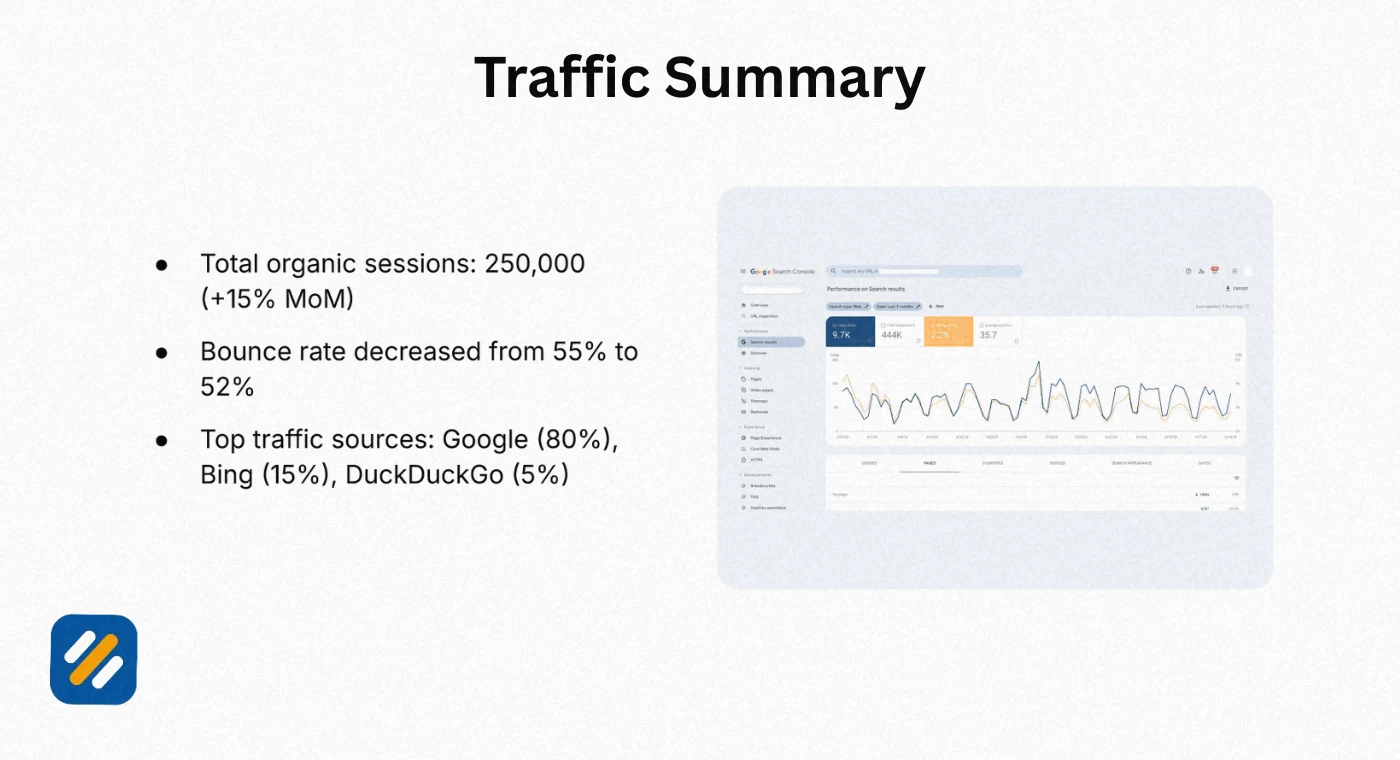
Show total organic sessions for the reporting period compared to the previous period and the same period last year. Month-over-month comparison shows momentum. Year-over-year comparison removes seasonal noise that can make traffic look worse or better than it actually is.
Keyword Ranking Report
Show which keywords the website currently ranks for, what positions they hold, and how those positions changed during the reporting period. Highlight keywords that moved into the top 10 and flag any significant ranking drops that need investigation.
Backlink Report
Show total referring domains, new backlinks acquired, and any lost backlinks during the period. Quality matters more than quantity here. One backlink from a domain authority 60 website is worth more than twenty links from unknown sites.
Technical SEO Report
Show the current site health score, any new technical errors discovered, and the status of previously reported issues. Clients care less about the technical details and more about whether their website is healthy and whether previous problems were fixed.
Content Performance
Show which pages drove the most organic traffic, which pages saw the biggest traffic changes, and which new content published during the period is starting to rank.
SEO Recommendations
This is the section most agencies rush or skip entirely. Every report must end with three to five specific, prioritised recommendations for the next reporting period. Not vague suggestions. Specific actions with clear expected outcomes.
3 SEO Report Format | Which Format Works Best and When
One of the most overlooked decisions in SEO reporting is choosing the right format. The same data presented in the wrong format creates confusion rather than confidence.
| Report Format | Best For | Advantages | Limitations |
|---|---|---|---|
| PDF Report | Monthly client reporting, formal presentations | Professional, easy to share, consistent branding | Static, no live data, requires manual updates |
| Google Slides or PowerPoint | Executive presentations, quarterly reviews | Visual, easy to present verbally, stakeholder-friendly | Time consuming to build, limited data depth |
| Google Looker Studio Dashboard | Ongoing monitoring, data-savvy clients | Live data, automated updates, highly visual | Requires setup time, can overwhelm non-technical clients |
| Google Docs or Word Document | Detailed technical reporting, internal teams | Flexible, detailed, easy to add commentary | Less visual, harder to scan quickly |
| Spreadsheet Report | Data-heavy reporting, internal SEO teams | Highly detailed, sortable, filterable | Not suitable for non-technical clients |
| Automated SEO Reporting Tool | High-volume agency reporting, multiple clients | Saves significant time, consistent format | Less personalised commentary and context |
For most small businesses and freelance SEO clients, a monthly PDF report of eight to twelve pages hits the right balance. It is professional enough to build trust, detailed enough to demonstrate work, and short enough that the client actually reads it.
For enterprise clients and in-house teams, a live Google Looker Studio dashboard supplemented by a monthly written commentary document works better because it separates raw data access from strategic interpretation.
4 SEO Report Template | The Exact Section by Section Structure
Here is the complete SEO reporting template structure I use when building monthly reports for clients. You can adapt this for any website, industry, or client type.
Page 1: Cover Page
Client name, website URL, reporting period, report date, and your name or agency name. Simple and professional.
Page 2: Executive Summary
Three to five bullet points covering the headline findings. Traffic up or down by what percentage. Most significant ranking movement. Key technical issue resolved or discovered. One forward-looking statement about the next period.
Page 3: Organic Traffic Overview
A line graph showing organic sessions over the past twelve months with the current month highlighted. Key metrics in a summary box: total organic sessions, organic users, average session duration, and bounce rate. Month-over-month and year-over-year comparisons in percentage form.
Page 4: Keyword Ranking Report
A table showing the top twenty target keywords, their current position, previous position, and the change. A separate table showing new keywords that entered the top twenty during the reporting period. A third table showing keywords that dropped more than five positions requiring attention.
Page 5: Top Performing Pages
A table showing the top ten pages by organic traffic with sessions, average position, and clicks from GSC. Highlight which pages improved and which declined with a brief note explaining why.
Page 6: Backlink Report
Total referring domains current versus previous period. New backlinks acquired this month with domain authority of the linking sites. Lost backlinks during the period. Overall domain authority or authority score trend.
Page 7: Technical SEO Report
Site health score current versus previous period. Number of errors, warnings, and notices. Top three technical issues found with their impact level and recommended fix. Status update on issues reported in the previous month.
Page 8: Content Performance
New content published during the period with initial ranking data where available. Existing content that showed significant traffic changes with explanation. Content opportunities identified for the next period.
Page 9: SEO Recommendations
Three to five specific, prioritised action items for the next thirty days. Each recommendation should include what needs to be done, why it matters, and what outcome is expected.
5 Key SEO Metrics to Include in Every Report
Choosing which metrics to include is where many SEO reports go wrong. Including too many metrics overwhelms the reader. Including too few raises questions about what is being hidden. Here is the right metrics set for a balanced, trustworthy SEO performance report:
| Metric | Where to Get It | What It Shows | Reporting Frequency |
|---|---|---|---|
| Organic sessions | Google Analytics 4 | Total visitors from search | Monthly |
| Organic clicks | Google Search Console | Click volume from Google specifically | Monthly |
| Average click through rate | Google Search Console | How compelling your titles and descriptions are | Monthly |
| Average position | Google Search Console | Overall keyword ranking health | Monthly |
| Keyword rankings | Ahrefs or Semrush | Individual keyword position tracking | Monthly |
| Referring domains | Ahrefs or Semrush | Backlink profile growth | Monthly |
| New and lost backlinks | Ahrefs or Semrush | Link building momentum | Monthly |
| Domain authority or rating | Ahrefs or Semrush | Overall site authority trend | Quarterly |
| Site health score | Semrush or Ahrefs | Technical SEO health | Monthly |
| Core Web Vitals | Google Search Console | Page experience performance | Monthly |
| Organic conversions | Google Analytics 4 | Revenue impact of SEO | Monthly |
| Pages indexed | Google Search Console | Content discoverability | Monthly |
The metrics you prioritise should reflect the client's business goals. An ecommerce client cares most about organic conversions and revenue. A content publisher cares most about organic sessions and page rankings. A local business cares most about map pack rankings and phone call conversions.
Never send a one-size-fits-all report to every client. Customise the emphasis to match what each client is actually trying to achieve.
6 How to Gather Data for Your SEO Report | Tool by Tool
Every metric in your SEO report needs to come from a reliable source. Here is exactly which tool to use for each section of the report and where to find the data inside each tool.
Google Search Console for Organic Traffic and Click Data
Open Google Search Console (GSC) and go to Performance then Search Results. Set your date range to the current reporting month and compare it to the previous month. Tick Total Clicks, Total Impressions, Average CTR, and Average Position. Export the full data to a spreadsheet. Use the Pages tab to see which individual pages drove the most clicks and which had the best average position during the period.
Google Analytics 4 for Sessions and Conversions
In Google Analytics 4 go to Reports then Acquisition then Traffic Acquisition. Filter by Organic Search to isolate SEO traffic only. Pull total sessions, users, and key events which is what GA4 calls conversions. For landing page data go to Reports then Engagement then Landing Page and apply the organic search filter. Export everything for the reporting period plus the comparison period.
Ahrefs or Semrush for Keyword Rankings
If you are using Ahrefs, open Rank Tracker for the client's project and pull the current rankings for all tracked keywords. Export the full keyword list with current positions and position changes. If using Semrush, go to Position Tracking and export the same data. Both tools show position changes over custom date ranges which is essential for showing movement during the reporting period.
Ahrefs for Backlink Data
Open Site Explorer for the client's domain. Go to the Overview tab and note the current referring domains count and domain rating. Go to the Backlinks tab and filter by New to see links acquired during the reporting period. Filter by Lost to see any backlinks that disappeared. Export both lists for the report.
Google Search Console or Semrush for Technical SEO Data
In GSC go to Indexing then Pages to see the current index coverage status. Check the number of indexed pages, any new errors, and the status of previously flagged issues. For a more comprehensive technical audit use Semrush Site Audit or Ahrefs Site Audit which crawl your entire website and produce a health score with a categorised list of all errors and warnings.
7 Monthly SEO Report vs Weekly vs Quarterly | Which Cadence Is Right
Reporting frequency is a strategic decision that affects both the quality of insights and the client relationship. Here is an honest breakdown of each cadence:
Weekly SEO Reporting
Weekly reports work best for active campaigns in competitive markets where rapid ranking changes need to be tracked and responded to quickly. The limitation is that weekly data is noisy. A single day of unusual traffic can make a week look dramatically better or worse than it actually is. Weekly reports also risk overwhelming clients with minor fluctuations that do not represent real trends.
Most appropriate for: Active link building campaigns, post-penalty recovery, major technical migrations, ecommerce sites during peak trading periods.
Monthly SEO Reporting
Monthly is the gold standard for most SEO campaigns. One month of data smooths out day-to-day noise and shows genuine trends. It gives enough time for changes made in the previous period to show measurable impact. And it matches the billing and planning cycles most businesses already use.
Most appropriate for: The majority of small business, local business, and content website SEO campaigns.
Quarterly SEO Reporting
Quarterly reports work at the executive level where stakeholders want strategic perspective rather than operational detail. A quarterly report summarises three months of data, highlights the biggest wins and challenges of the quarter, and sets the strategic direction for the next three months.
Most appropriate for: Board presentations, large enterprise clients, campaigns where the day-to-day reporting is handled by an in-house team.
The best approach for most agency-client relationships is monthly detailed reports supplemented by a brief fortnightly check-in message covering any significant developments between full reports.
8 SEO Audit Report vs SEO Performance Report | Understanding the Difference
These two types of reports are frequently confused and the confusion leads to clients receiving the wrong document at the wrong time.
An SEO audit report is a one-time diagnostic document. It analyses the current state of a website, identifies problems and opportunities across technical SEO, on-page SEO, and off-page SEO, and produces a prioritised list of recommendations. An audit report is typically delivered at the start of a new campaign or when a website is experiencing an unexplained drop in rankings.
An SEO performance report is a recurring document that tracks progress over time. It shows what happened during the reporting period, how key metrics changed compared to previous periods, and what the data means for the overall campaign strategy.
| Factor | SEO Audit Report | SEO Performance Report |
|---|---|---|
| Purpose | Diagnose problems and opportunities | Track progress and demonstrate results |
| Frequency | Once at start of campaign or when issues arise | Monthly, quarterly, or weekly |
| Focus | Current state analysis | Change over time |
| Length | Comprehensive, often 20 to 50 pages | Concise, typically 8 to 15 pages |
| Audience | Technical team and decision makers | Client or internal stakeholders |
| Outcome | Action plan for improvement | Evidence of work and next steps |
A common mistake I see new SEO specialists make is delivering an audit report when the client expects a performance report, or vice versa. Always clarify which document the client needs before starting to build it.
9 How to Present an SEO Report to a Client Who Knows Nothing About SEO
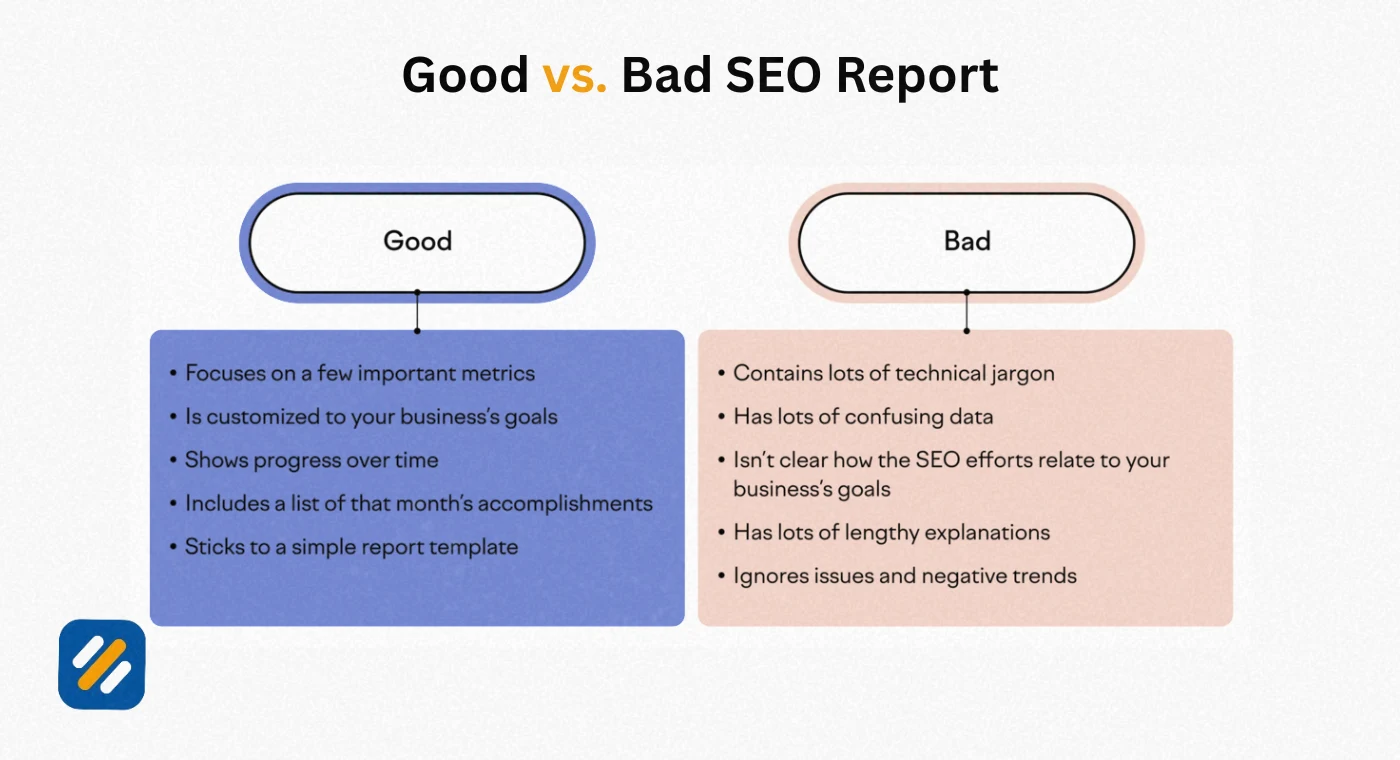
The technical accuracy of your SEO client report matters far less than whether the client understands it. A perfectly accurate report that confuses the reader does more damage to the client relationship than a simpler report that tells a clear story.
Here are the principles I apply when presenting SEO reports to non-technical clients:
Lead with what they care about, not what you measure. A business owner does not wake up thinking about domain authority or crawl budget. They wake up thinking about leads, sales, and website visibility. Start the conversation with traffic numbers and conversion data. Bring in the technical metrics only when explaining why those business numbers are what they are.
Use percentage changes rather than raw numbers wherever possible. "Organic traffic increased by 34% month over month" is more meaningful to a non-technical client than "organic sessions went from 847 to 1,134." Percentages communicate momentum. Raw numbers require context the client may not have.
Always explain what caused a change. Never present a traffic drop without an explanation. Never present a ranking improvement without attributing it to specific work done. Every data point in a client report needs a story. Why did this happen? What did we do? What are we doing next?
Translate technical issues into business impact. Instead of "your site has 47 crawl errors," say "Google is having difficulty reading 47 pages on your website, which means those pages are not appearing in search results and are missing potential visitors." The technical fact is the same. The business framing is what motivates action.
10 SEO Reporting Dashboard | When to Use One and How to Build It
An SEO reporting dashboard is a live, automated view of key SEO metrics that updates in real time or near real time without manual data collection. Dashboards work best for clients who want ongoing visibility between monthly reports, or for in-house teams who need to monitor performance daily.
The most widely used free tool for building an SEO reporting dashboard is Google Looker Studio, formerly Google Data Studio. It connects directly to Google Search Console, Google Analytics 4, and through third-party connectors to Semrush and Ahrefs data.
What to include in an SEO reporting dashboard:
A date range selector at the top so the viewer can customise the time period they are looking at. An organic sessions trend line showing the past twelve months. A keyword position summary showing average position and total keywords ranking in the top ten. A top pages table showing the ten pages with the highest organic traffic. A backlink summary showing total referring domains. A site health indicator showing the current technical health score.
The limitation of dashboards that most guides do not mention:
Dashboards show data. They do not explain data. A client looking at a dashboard and seeing a traffic drop has no context for whether that drop is seasonal, penalty-related, competitor-driven, or algorithm-related. This is why dashboards supplement monthly reports rather than replace them. The dashboard gives the client data access. The monthly report gives them interpretation and strategy.
11 3 Expert Tips for Building SEO Reports That Clients Actually Value
These are the insights that come from six years of delivering SEO reports across dozens of clients in different industries and at different stages of digital maturity.
Expert Tip 1: Always Compare to the Right Baseline
Most SEO reports compare month-over-month by default. But month-over-month comparisons are often misleading for websites with seasonal traffic patterns. A retail website naturally gets more traffic in November and December than in January. Comparing January to December makes January look like a disaster when it is completely normal.
Always include a year-over-year comparison alongside the month-over-month figure. This gives the client an accurate picture of real growth versus seasonal fluctuation and saves you from unnecessary client anxiety during predictable quiet periods.
Expert Tip 2: Include One Competitor Snapshot Every Quarter
Every client wants to know how they are doing relative to their competitors, not just in absolute terms. Including a brief competitor comparison once per quarter, showing your client's keyword visibility versus two or three key competitors, adds enormous perceived value to your reporting and positions you as a strategic partner rather than just a task executor.
Use Ahrefs Site Explorer or Semrush Domain Overview to pull competitor organic keyword counts and estimated traffic. A simple side by side table showing your client growing while a competitor stays flat or declines is one of the most powerful visuals you can include in an SEO report.
Expert Tip 3: Document Every Action Taken, Not Just Every Metric
The most common failure in SEO reporting is showing what happened without connecting it to what was done. Every month, before pulling any data, write down every SEO action taken during the reporting period. Content published, technical fixes implemented, backlinks acquired, on-page changes made.
Then, in the report, connect specific actions to specific metric movements wherever you can show causation or strong correlation. "We optimised the title tag and meta description for the services page on the 12th. By the 28th that page moved from position 14 to position 7 and clicks increased by 62%." That single narrative sentence does more to justify your fee than three pages of ranking tables.
12 Conclusion
A sample SEO report is not a document you send to prove you worked hard. It is a strategic communication tool that builds client trust, drives better decisions, and keeps everyone focused on what actually moves the needle.
The best SEO client reports share four qualities. They are clear enough for a non-technical business owner to understand. They are specific enough to show exactly what changed and why. They are honest enough to address problems alongside wins. And they are forward-looking enough to tell everyone exactly what happens next.
Build your report around the client's goals, not your favourite metrics. Use the template structure in this guide as your starting point. Adapt it to each client's industry, level of SEO knowledge, and what matters most to their business.
The first time a client tells you they shared your report with their board because it was so clearly explained, you will understand why investing time in great SEO reporting is one of the highest-leverage activities in your entire workflow.
Have a question about building your first SEO report? Drop a comment below and I will answer it personally.
Join 1,000+ business owners and bloggers who get one actionable SEO tip every week — straight to their inbox. Free forever.
Get Free Weekly Tips →