- A website traffic checker shows you how many visitors any website receives, where they come from, and which pages drive the most traffic
- The best tools combine organic traffic data, paid traffic estimates, referral sources, and competitor analysis in one place
- You do not need to pay for expensive tools to check website traffic. Several powerful free options exist in 2026
- Competitor traffic analysis is one of the most underused SEO strategies for small business owners and bloggers
- Traffic data from third party tools is always an estimate. Use Google Analytics 4 and Google Search Console for your own site's accurate data
1 What Is a Website Traffic Checker and Why Every Website Owner Needs One
Most website owners check their own traffic occasionally inside Google Analytics. Very few think to check their competitor's traffic. And almost nobody uses traffic data systematically to make better content and SEO decisions.
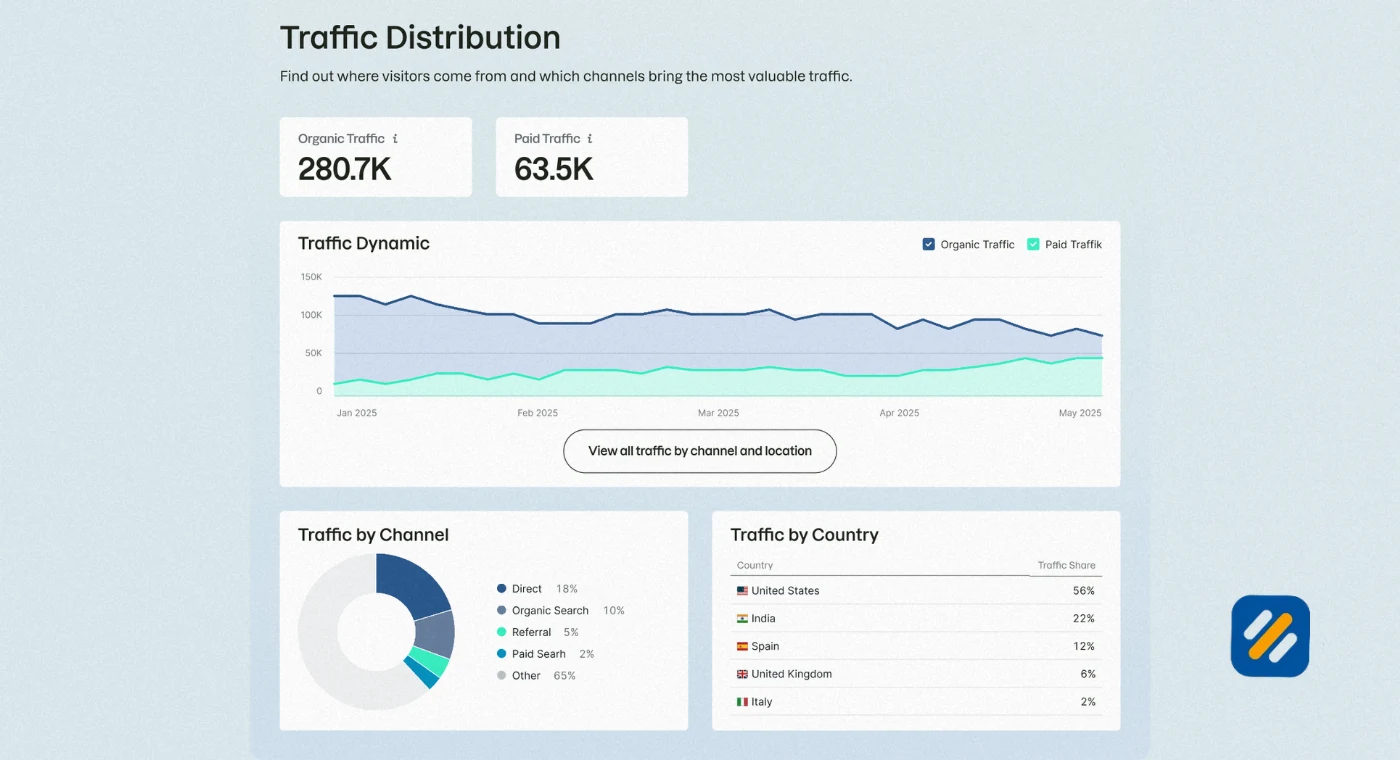
A website traffic checker is a tool that estimates how many visitors a website receives, where those visitors come from, which pages attract the most traffic, and which keywords are sending people there. Some tools show data for any website on the internet. Others focus specifically on your own site through direct integration with your analytics account.
Here is why this matters in practice. After many years of running SEO campaigns for clients across multiple industries, the single most valuable data source I use when starting work on a new website is not the client's own analytics. It is their top three competitors' traffic data. Understanding which pages are driving competitor traffic, which keywords they rank for, and which sources send them the most visitors gives me a complete blueprint for what to build and what to prioritise.
A website traffic checker makes that intelligence available to any website owner, not just SEO specialists with expensive agency subscriptions.
2 How Does a Website Traffic Checker Actually Work
This is the question most tool review articles skip over entirely. Understanding how these tools work helps you interpret the data correctly and avoid making decisions based on misunderstood numbers.
Website traffic checker tools do not have access to another website's Google Analytics data. That data is private. Instead they estimate traffic using three main data sources
Clickstream data is collected from panels of internet users who have agreed to share their browsing behaviour anonymously. Tools like SimilarWeb aggregate data from millions of these users to build traffic models for websites across the internet. The larger the panel, the more accurate the estimates.
Search engine data is pulled from Google and Bing's search results. Tools like Ahrefs and SEMrush crawl search engine results pages, record which websites rank for which keywords, and then apply estimated click-through rates to those rankings to calculate organic traffic. This method is highly accurate for organic search traffic but does not directly measure direct, social, or referral traffic.
Proprietary algorithms combine both sources with additional signals like backlink profiles, domain history, and industry benchmarks to produce overall traffic estimates. Every tool weights these differently which is why two different tools often show different traffic numbers for the same website.
The key takeaway is that all third party website traffic data is an estimate. The numbers are useful for spotting trends, comparing competitors, and identifying opportunities. They are not replacements for your own Google Analytics data when precision matters.
3 What Metrics a Website Traffic Checker Actually Shows You
Before comparing specific tools, you need to understand what each metric means and which ones actually matter for your decisions.
| Metric | What It Means | Why It Matters |
|---|---|---|
| Monthly Visitors | Total estimated visits in a calendar month | Your baseline traffic health indicator |
| Unique Visitors | Individual people who visited, counted once | Shows reach separate from repeat visits |
| Organic Traffic | Visitors arriving from unpaid search results | Measures SEO effectiveness |
| Paid Traffic | Visitors arriving from paid ads | Shows advertising investment and scale |
| Direct Traffic | Visitors typing the URL directly or from bookmarks | Measures brand strength and loyalty |
| Referral Traffic | Visitors arriving from links on other websites | Shows backlink value and partnership traffic |
| Social Traffic | Visitors arriving from social media platforms | Measures social media marketing effectiveness |
| Bounce Rate | Percentage leaving after viewing one page | Signals content relevance and user experience |
| Top Pages | Pages receiving the most traffic | Identifies your strongest content assets |
| Traffic by Keywords | Which search terms drive the most visits | Reveals keyword ranking performance |
| Top Traffic Sources | Which channels send the most visitors | Guides where to invest marketing effort |
| Competitor Traffic | Estimated traffic to competing websites | Reveals gaps and opportunities in your strategy |
Understanding these metrics together tells a far more complete story than any single number. A website with 50,000 monthly visitors but a 90% bounce rate and 100% branded keyword traffic has a very different growth problem than a website with 5,000 visitors spread across fifty non-branded keywords.
4 Best Website Traffic Checker Tools Compared in 2026
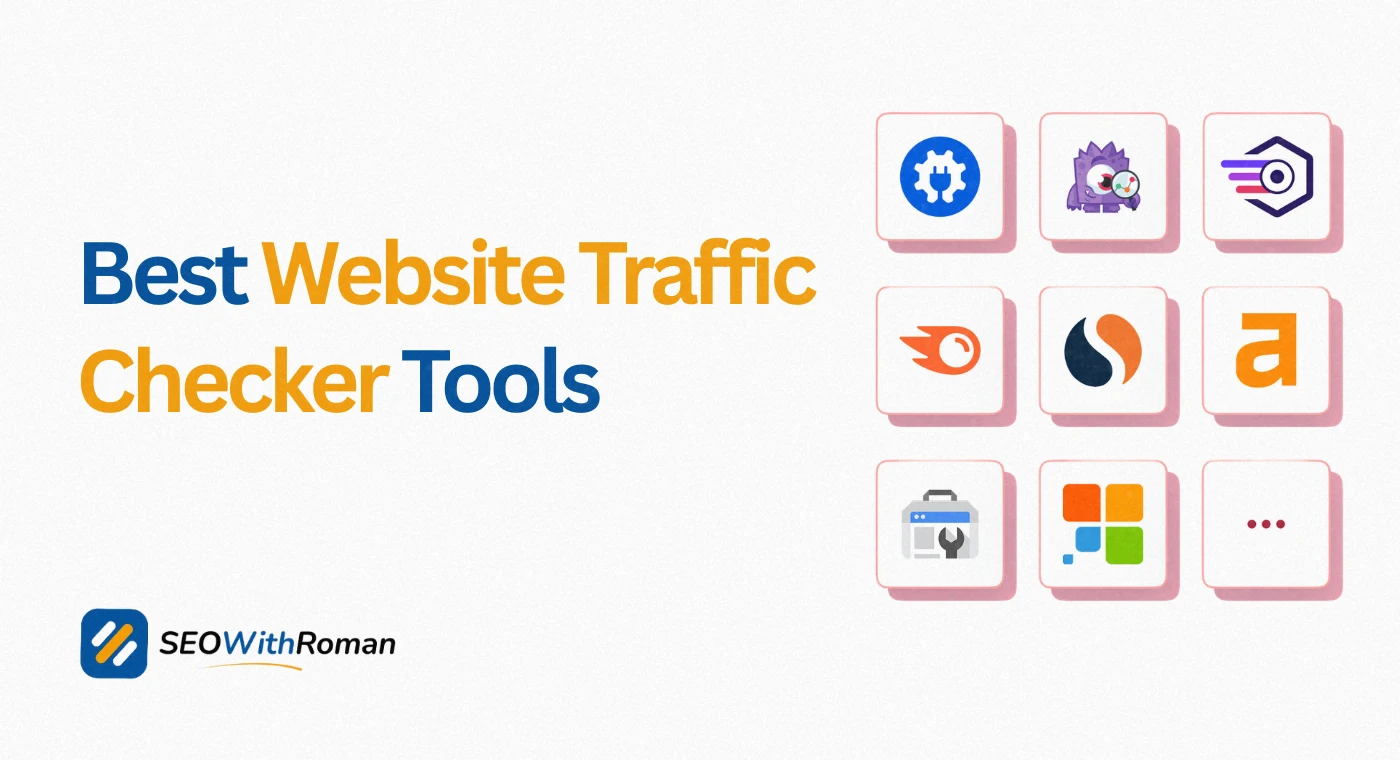
Here are the most reliable website traffic checker tools available in 2026, covering both free and paid options with honest assessments of each.
| Tool | Free Option | Best For | Data Accuracy | Standout Feature |
|---|---|---|---|---|
| Google Analytics 4 | Free always | Your own website only | Highest, direct data | Real time visitor tracking |
| Google Search Console | Free always | Organic traffic for your site | Highest for organic | Keyword click and impression data |
| Ahrefs | Limited free version | Organic traffic and keyword data | Very high for SEO data | Site Explorer competitor analysis |
| SEMrush | 10 free searches per day | Full competitor traffic analysis | Very high | Traffic analytics across all channels |
| SimilarWeb | Limited free version | Overall traffic and traffic sources | High for large sites | Audience demographics and interests |
| Ubersuggest | Free tier available | Beginner friendly traffic overview | Medium | Simple interface, low learning curve |
| SE Ranking | Free trial available | Keyword and organic traffic tracking | High | Affordable paid plans for small businesses |
| Moz Pro | Free trial available | Domain authority and traffic trends | Medium to high | Link metrics alongside traffic data |
| SpyFu | Limited free searches | Competitor paid and organic keywords | High for paid data | PPC competitor intelligence |
5 Google Analytics 4 and Google Search Console | The Only Accurate Tools for Your Own Site
Every tool in the section above produces estimates for third party websites. When you want accurate data for your own website, there are only two tools that matter and both are completely free.
Google Analytics 4 is the most accurate website traffic analytics tool in existence for your own site because it uses actual tracking code installed on your website. Every visit, every page view, every traffic source, every conversion is recorded directly from real user behaviour on your site. No estimation, no modelling, no approximation.
GA4 shows you monthly website traffic broken down by channel, the exact pages driving the most visits, how long users spend on each page, where they drop off, and which traffic sources produce the most valuable visitors. For any decision about your own website's performance, GA4 is the definitive source.
Google Search Console focuses specifically on organic search performance. It shows you which keywords your pages are ranking for, how many impressions and clicks each keyword generates, your average position for each keyword, and which pages are being indexed or excluded from Google's search results.
The combination of GA4 for overall traffic behaviour and GSC for organic search performance gives you complete visibility into your website's traffic without spending a single penny.
6 How to Check Competitor Website Traffic Step by Step
Competitor traffic analysis is one of the highest value SEO activities available to any website owner. Here is the exact process I use with client websites:
Step 1: Identify your top three organic competitors. These are not necessarily your business competitors. They are the websites ranking on Google for the same keywords you want to rank for. Search your primary keyword and note which websites consistently appear in positions 1 to 5.
Step 2: Enter each competitor URL into SEMrush or Ahrefs. Both tools offer free searches that show estimated monthly traffic, top organic keywords, top traffic pages, and traffic source breakdown. Even the free version gives you enough data to identify major opportunities.
Step 3: Look at their top traffic pages first. The pages sending a competitor the most traffic are already proven content topics with confirmed search demand. These are your priority content gaps to fill.
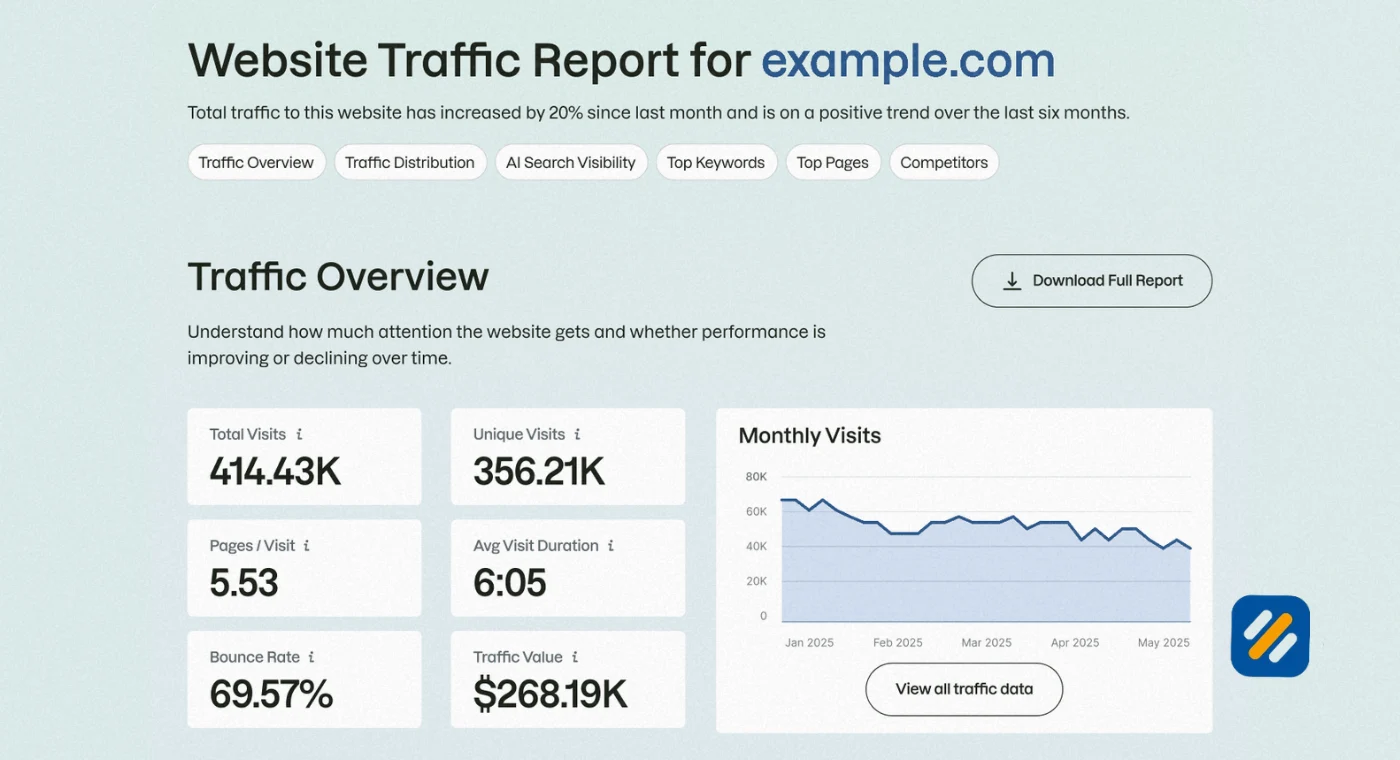
Step 4: Filter their keywords by difficulty under 30. Inside their keyword list, filter for keywords with a difficulty score under 30 that your site does not currently rank for. These are your most accessible ranking opportunities identified directly from competitor data.
Step 5: Analyse their traffic sources. If a competitor gets 70% of their traffic from organic search and 20% from referral, it tells you their backlink strategy is working and organic SEO is their primary channel. If they get 50% from social media, it tells you content distribution is more important in their strategy than pure SEO.
Step 6: Track changes monthly. Check competitor traffic monthly using the same tools. A sudden spike in a competitor's traffic usually means they published something that is ranking exceptionally well. Find that page and either create a better version or cover the topic from a different angle.
7 Website Traffic Sources Explained | Why Where Traffic Comes From Matters More Than Volume
Total monthly traffic is the number most people look at first. In my experience it is also the number that tells you the least about a website's actual health and growth potential.
Where traffic comes from matters far more than how much traffic a website receives
Organic traffic is the most valuable source for long term sustainable growth. Visitors arriving from Google searched for something specific and found your content. This intent-driven traffic converts better, stays longer, and costs nothing per click once rankings are established.
Direct traffic indicates brand strength. When a significant percentage of visitors type your URL directly or return from bookmarks, it means people remember your website by name. This is the traffic source that is hardest to build and most resistant to algorithm changes.
Referral traffic from backlinks is both a traffic source and an SEO signal. A website generating significant referral traffic has built genuine relationships with other websites in its industry. This traffic tends to be highly targeted and high quality.
Social traffic is valuable but volatile. It can spike dramatically after a viral post and then drop to near zero the following week. Websites that rely heavily on social traffic are one algorithm change or account ban away from losing a major traffic source overnight.
Paid traffic is controllable and immediate but stops the moment the budget runs out. A healthy website uses paid traffic to test and amplify, not as its primary growth strategy.
The ideal website traffic mix for a personal brand SEO blog is heavily weighted toward organic, with growing direct traffic indicating brand recognition and steady referral traffic showing backlink momentum.
8 Website Traffic Statistics | What Good Traffic Looks Like at Different Growth Stages
One of the most common questions I get from small business owners is whether their traffic numbers are good or bad. The honest answer is that it depends entirely on how old the website is, how consistently content has been published, and which keywords are being targeted.
| Website Age | Articles Published | Expected Monthly Traffic | What This Indicates |
|---|---|---|---|
| 0 to 3 months | 10 to 20 articles | 0 to 500 visitors | Normal, Google sandbox effect |
| 3 to 6 months | 20 to 40 articles | 500 to 3,000 visitors | First rankings appearing |
| 6 to 12 months | 40 to 80 articles | 3,000 to 15,000 visitors | Topical authority building |
| 12 to 18 months | 80 to 120 articles | 15,000 to 50,000 visitors | Compounding growth phase |
| 18 to 24 months | 120+ articles | 50,000 to 150,000 visitors | Established authority site |
These are realistic ranges for a consistently published niche blog targeting low to medium difficulty keywords. Websites targeting very competitive keywords take longer. Websites with strong backlink profiles grow faster. The key variable in every case is consistency of publishing combined with proper keyword targeting.
9 3 Expert Tips for Using Website Traffic Checker Tools More Effectively
Tip 1: Never Make Decisions Based on One Tool's Data Alone
Every website traffic checker tool produces different estimates because they use different data sources and algorithms. Before drawing any conclusion about a competitor's traffic, check the same URL in at least two different tools. If both show similar numbers, the estimate is likely reliable. If the numbers are dramatically different, dig deeper before acting on either figure.
Tip 2: Focus on Traffic Trends Not Absolute Numbers
The absolute traffic number a tool shows for a competitor is an estimate. The trend that number follows over six to twelve months is far more reliable. A competitor whose estimated traffic has grown 40% over the past year is doing something right regardless of whether the absolute number is accurate. Use traffic checker tools to spot momentum, not to get precise visitor counts.
Tip 3: Use Top Pages Data as Your Content Calendar
The top traffic pages report inside any website traffic checker is essentially a pre-validated content calendar for your niche. Every page driving significant traffic to a competitor has confirmed search demand behind it. Before spending time brainstorming your next article topic, check what your top three competitors' most visited pages are. These are the topics your audience is actively searching for right now.
10 Conclusion
A website traffic checker is not just a number generator. Used correctly it is one of the most powerful strategic tools available to any website owner, blogger, or small business trying to grow organic traffic without guessing.
Check your own traffic in GA4 and Google Search Console every week. Check your top three competitors in SEMrush or Ahrefs every month. Use the data to find content gaps, identify rising keywords, and understand which traffic sources are worth investing in.
The websites that grow fastest are not the ones with the biggest budgets. They are the ones that make the best decisions based on real traffic data. Now you have the tools and the process to do exactly that.
Have a question about a specific website traffic checker tool or how to interpret your traffic data? Drop a comment below and I will answer it personally.
Join 1,000+ business owners and bloggers who get one actionable SEO tip every week — straight to their inbox. Free forever.
Get Free Weekly Tips →